


Budget Tracking
Set your total budget, allocate by category, and track every payment. Real-time charts show you at a glance whether you're on track — or need to adjust.
Plan together. Seat everyone. Stress less.
Budget, guests, seating and every decision — one calm workspace, always in sync.
Featured on the App Store in “Plan your perfect wedding” ↗Everything you need to plan every detail together — budgets, guests, seating, tasks and more.
Drag and drop guests to tables. Visualise your entire reception layout at a glance, and share it with your venue in seconds.
Explore the feature →Invite your partner and plan in real time. Share tasks, budgets, and decisions — always in sync, no matter the distance.
Build your wedding day schedule minute by minute. Share it with vendors, family, and your photographer so everyone is perfectly in sync.
Explore the feature →From the first budget decision to the last guest update, every tool shares the same wedding plan.
Set your total budget, allocate by category, and track every payment. Real-time charts show you at a glance whether you're on track — or need to adjust.
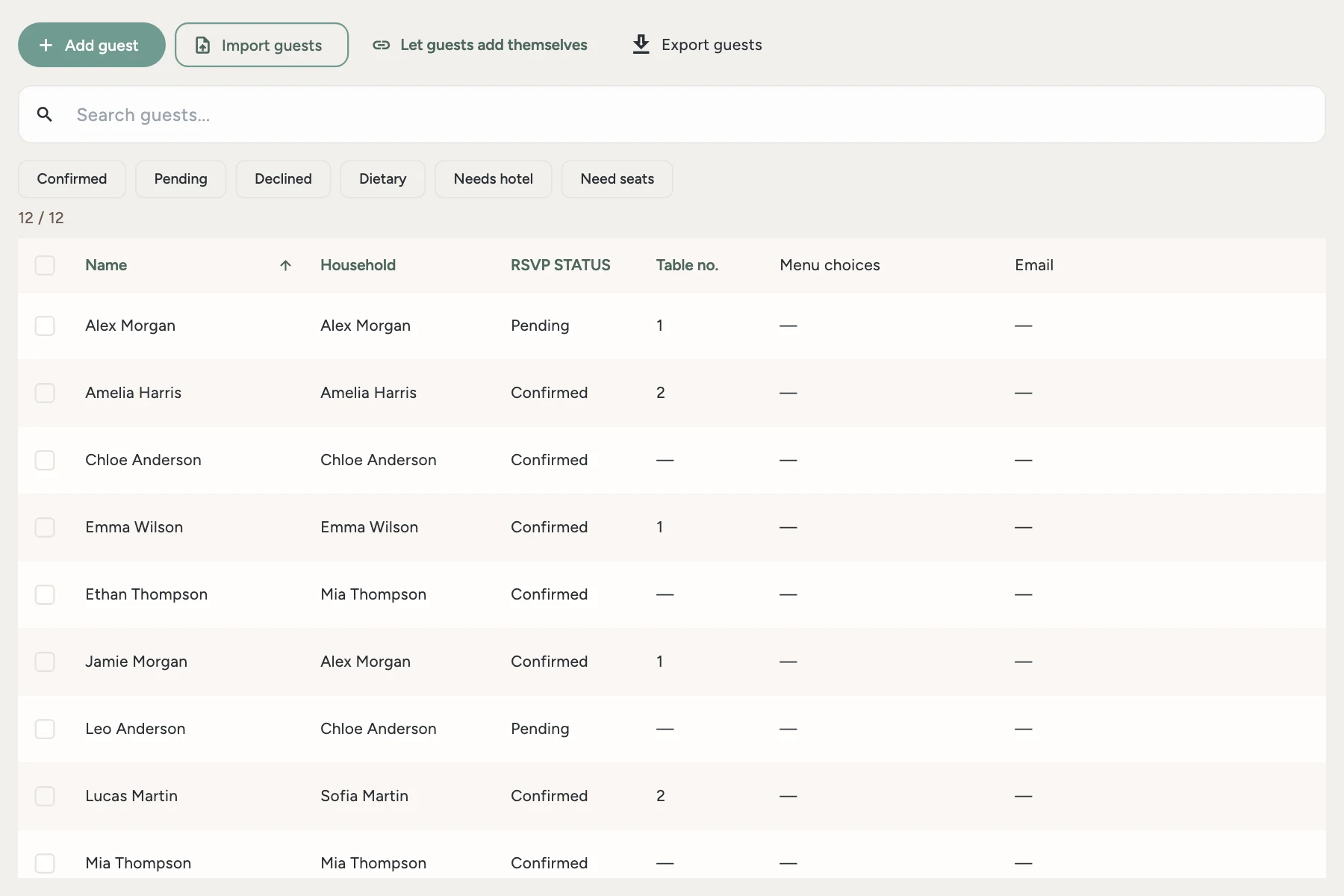
Add guests, track RSVPs, manage dietary requirements, and send digital invitations — all in one seamless place.
Your personalised wedding checklist with smart tasks. Assign to your partner, set deadlines, get timely reminders.
Carry the plan on your wrist: live countdown, RSVPs, tasks, vendor payments, budget and a Now/Next wedding-day timeline.
Premium is purchased in the iOS or Android app. Sign in with the same account to use it on the web. The store shows your local price and any eligible trial before purchase. Exports require Premium.
Control what you share, protect guest pages with an optional passcode, and export or delete your data whenever you need.
Get started with the essentials. Perfect for exploring PlanWed before your big commitment. Premium is purchased in the iOS or Android app. Sign in with the same account to use it on the web. The store shows your local price and any eligible trial before purchase. Exports require Premium.
That's the whole point. Invite your partner and you both see the same budget, guest list, tasks, and timeline — synced in real time across all devices.
iPhone, Android, and any web browser. Your wedding stays in sync everywhere, so you can add a guest from your phone and build the seating chart on your laptop.
Share your wedding website. Guests find their name or household and RSVP without an app or account. Responses and meal choices appear in your guest list.
Yes — the seating chart editor works beautifully on a big screen. Drag and drop guests to tables at planwed.app, and the changes appear instantly in your phone app.
Yes. Your data is stored encrypted, never sold, and you can export or delete it at any time. Guest pages can be protected with an optional passcode.
Budget, guests, seating and every decision — one calm workspace, always in sync.